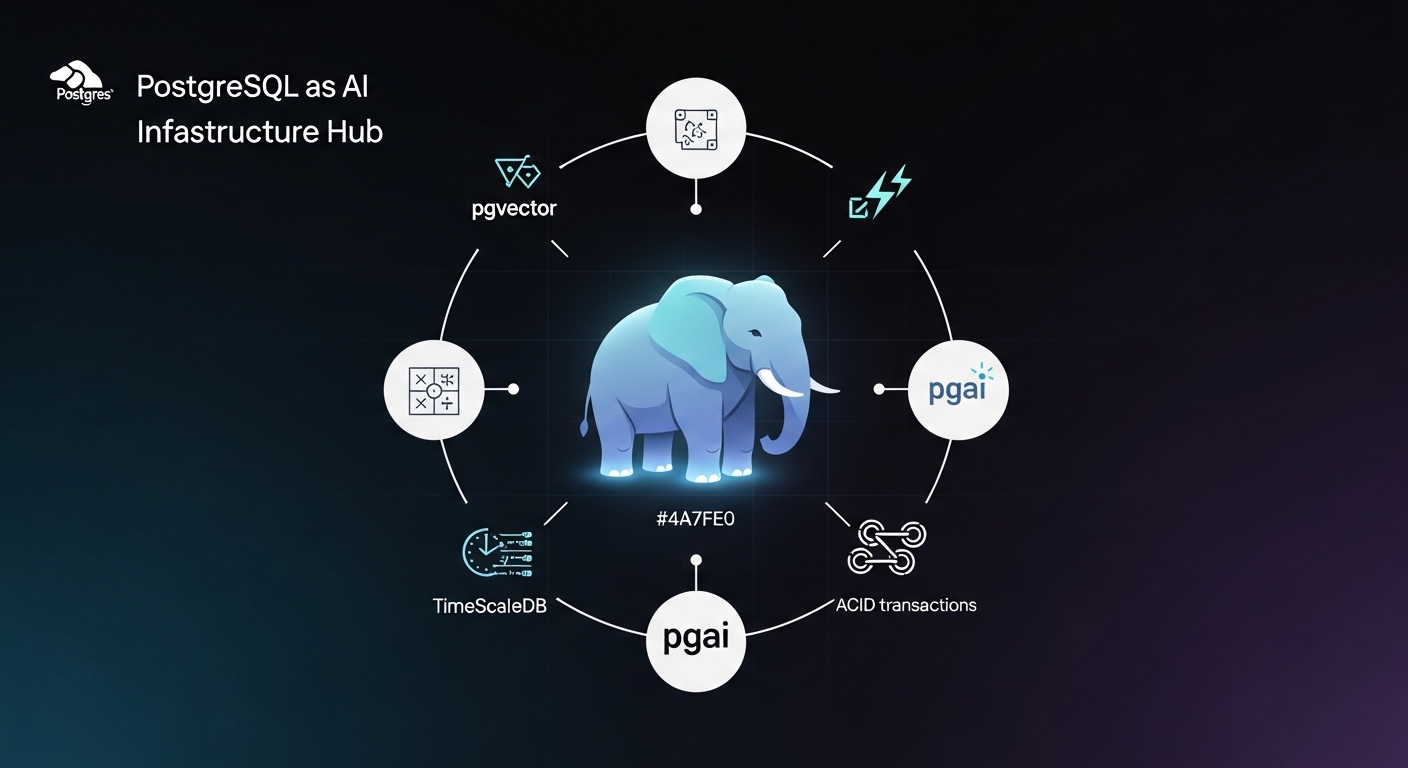
There's a narrative in the AI startup world: to build an AI-powered product, you need a specialized stack. A vector database here, an embedding service there, maybe a feature store. A real-time data pipeline. A separate cache layer. Some distributed task queue. It sounds impressive. It sounds serious. But here's what actually happens: you spend three months architecting infrastructure, two months getting it right, and you still haven't shipped a prototype.
There's a simpler path.
PostgreSQL isn't a specialized AI tool. It's a general-purpose database that's been running production systems at massive scale for 30+ years. But here's what most developers miss: Postgres already has everything you need to ship AI features fast. Not all of it, not for every use case. But for the majority of AI projects, especially teams that aren't building billion-vector corpora at launch, Postgres has it all built-in or available as a simple extension.
The thesis is simple: if Postgres covers your use cases, use Postgres. Only when it doesn't should you add something specialized. Don't complicate your infrastructure because it feels like you should.
Start Simple: The Case for Postgres
Most teams are over-engineering their AI infrastructure. They're adding vector databases, embedding services, and specialized tools before they've actually validated that Postgres can't handle the job. But Postgres, boring, mature, well-understood Postgres, already handles the majority of AI projects teams actually ship: RAG pipelines, semantic search, embedding storage, recommendation engines, LLM output logging. The exceptions (billion-scale ANN search, sub-millisecond latency at massive concurrency) are real, but most teams won't hit them in the first year.
Part I: Foundation
1.1 What You Get Out of the Box
Start with what Postgres already does. It's not just a relational database. It's more like a platform.
Full-text search has been in Postgres for years. The tsvector type lets you index text for fast keyword searches. It's not sexy - it doesn't work on semantic meaning - but it handles the "find documents containing X keywords" problem in a single SQL query.
-- Create a tsvector columnALTER TABLE documents ADD COLUMN search_vector tsvector;
-- Populate it from your contentUPDATE documentsSET search_vector = to_tsvector('english', title || ' ' || content);
-- Create an index for speedCREATE INDEX idx_search ON documents USING gin(search_vector);
-- Query itSELECT * FROM documentsWHERE search_vector @@ to_tsquery('english', 'postgres & database');
This isn't AI, but it's already covering 50% of "search" problems. Keyword matching, filtering, ranking by relevance. Done.
But Postgres goes deeper. JSON support means you can store semi-structured data without moving to MongoDB. You get full indexes on JSON fields, query operators, and aggregation functions. Your API responses go straight into Postgres columns. Arrays and custom types let you model complex domain objects natively. And here's the big one: Postgres has had transactions, ACID guarantees, and rollback semantics for decades. When you add AI features - embeddings, LLM outputs, async jobs - you can wrap them all in the same transactional safety that protects your core business logic. Your embedding doesn't get out of sync with your user profile. Most "AI databases" are eventually consistent. Postgres is strongly consistent by default.
1.2 The Vector Explosion: pgvector and Beyond
Now we get to the AI-specific part. The pgvector extension adds a new column type - vector - that stores dense numerical representations (embeddings). Once you have embeddings in Postgres, you can query by similarity.
-- Install the extensionCREATE EXTENSION IF NOT EXISTS vector;
-- Create a documents table with embeddingsCREATE TABLE documents (    id serial PRIMARY KEY,    content text NOT NULL,    embedding vector(1536),  -- OpenAI embeddings are 1536-dim    created_at timestamptz DEFAULT now());
-- Create an index for fast similarity searchCREATE INDEX ON documents USING hnsw(embedding vector_cosine_ops);
-- Insert a document with its embeddingINSERT INTO documents (content, embedding)VALUES (    'PostgreSQL is great for AI',    '[0.1, -0.2, 0.45, ...]'::vector);
-- Find similar documentsSELECT content, (embedding <=> '[0.09, -0.22, 0.43, ...]'::vector) AS distanceFROM documentsORDER BY distanceLIMIT 5;
That's semantic search. Find documents by meaning, not keywords. The <=> operator computes cosine distance (or use <-> for L2, <#> for dot product). It's fast enough for real-time queries thanks to HNSW indexing - the same algorithm used by specialized vector databases. For most teams, pgvector alone is enough. It's a single extension, lives in the database you already maintain, and doesn't require learning new tools.
Part II: Real Implementations
2.1 Automation: pgai and the Vectorizer
Here's where things get real. One of the hardest problems in production AI systems isn't the algorithm. It's the plumbing.
Your documents change. Your product descriptions get updated. Your customer communications evolve. But the embeddings are static. So you either regenerate on every change (expensive, slow), let them drift out of sync (wrong, dangerous), or build a complex event stream pipeline (operational overhead).
Enter pgai - Timescale's open-source framework for AI on Postgres. At its heart is the Vectorizer, which automates the entire embedding lifecycle.
Setting Up pgai Vectorizer
Installation is simple:
CREATE EXTENSION IF NOT EXISTS pgai CASCADE;This brings in everything: the vectorizer, chunking engine, embedding management, and retrieval pipelines all in SQL.
Defining a Vectorizer: SQL-First Configuration
The power of pgai is that everything is defined in SQL. No Python config files. No environment variables scattered across deployment scripts. You define your vectorization job in the database, and it becomes part of your schema.
-- Create a vectorizer for a documents tableSELECT pgai.create_vectorizer( vectorizer_name => 'documents_embedding_vectorizer', table_name => 'documents', embedding => pgai.embedding_openai( model => 'text-embedding-3-small', api_key_name => 'OPENAI_API_KEY' ), chunking => pgai.chunking_recursive_character( chunk_size => 512, chunk_overlap => 100 ), search_alg => 'hnsw', schedule => 'realtime');What just happened:
vectorizer_name- A unique identifier for this jobtable_name- Watch thedocumentstableembedding- Use OpenAI's API (or Ollama, Cohere, Mistral)chunking- Split long documents into 512-token chunks with 100-token overlap. This preserves context across boundariessearch_alg- Use HNSW indexing for fast similarity searchschedule => 'realtime'- Watch for changes and auto-embed immediately
That's it. You don't need background jobs, message queues, or sync failure debugging. The vectorizer watches for new or changed rows, chunks them intelligently, calls the embedding API, and stores results back.
Behind the Scenes: How pgai Manages Embeddings
pgai creates hidden tables to track everything:
-- pgai automatically creates these (you don't manage them directly)SELECT * FROM pgai.vectorizer_status; -- Current stateSELECT * FROM pgai.chunks; -- All text chunks and embeddingsSELECT * FROM pgai.documents_embeddings; -- Raw embeddingsWhen you insert a new row into documents, the vectorizer automatically detects it, chunks the content (respecting sentence boundaries, HTML structure, code blocks), generates embeddings via your API, and stores chunks and vectors. All without you writing a single background job.
Querying: Finding Similar Documents
Once vectorized, searching is just SQL:
-- Find documents similar to a user querySELECT d.id, d.title, d.content, pgai.cosine_similarity( (SELECT embedding FROM pgai.chunks WHERE document_id = d.id LIMIT 1), pgai.embedding_openai('text-embedding-3-small', 'how to optimize performance') ) AS relevanceFROM documents dORDER BY relevance DESCLIMIT 5;Handling Edge Cases: Metadata Filtering and Selective Updates
Real-world documents have structure. You don't want to re-embed everything on every change:
-- Only vectorize if content actually changedSELECT pgai.create_vectorizer(  vectorizer_name => 'updated_documents_only',  table_name => 'documents',  embedding => pgai.embedding_openai(    model => 'text-embedding-3-small',    api_key_name => 'OPENAI_API_KEY'  ),  chunking => pgai.chunking_recursive_character(chunk_size => 512),  where_clause => 'updated_at > (SELECT MAX(created_at) FROM pgai.chunks)',  schedule => 'realtime');
-- Find HR documents similar to a querySELECT chunk_text, relevanceFROM pgai.chunks cJOIN documents d ON c.document_id = d.idWHERE d.department = 'human_resources'  AND pgai.cosine_similarity(      c.chunk_embedding,      pgai.embedding_openai('text-embedding-3-small', 'benefits policy')    ) > 0.7ORDER BY relevance DESC;
Cost Control: Batching and Rate Limiting
Embedding API calls cost money. pgai lets you batch requests and rate-limit:
-- Process embeddings in batches, max 10 per secondSELECT pgai.create_vectorizer( vectorizer_name => 'cost_optimized', table_name => 'documents', embedding => pgai.embedding_openai( model => 'text-embedding-3-small', api_key_name => 'OPENAI_API_KEY', batch_size => 100, rate_limit => '10/second' ), chunking => pgai.chunking_recursive_character(chunk_size => 512), schedule => 'daily' -- Run once per day, not realtime);Now your pipeline respects your budget. Embed during off-peak hours. Batch hundreds of documents in a single API call.
2.2 Building RAG: Retrieval-Augmented Generation
Here's where the real power emerges. A typical RAG system needs: vector similarity search, text chunking, semantic ranking, metadata filtering, conversation history, concurrency control. All of it lives in Postgres. One system. One query language. One set of backups.
Here's a practical RAG workflow:
import psycopg2from openai import OpenAI
# Connect to Postgresconn = psycopg2.connect("postgresql://user:pass@localhost/myapp")cur = conn.cursor()
# User asks a questionuser_query = "How do I optimize PostgreSQL for AI workloads?"
# 1. Embed the questionclient = OpenAI()query_embedding = client.embeddings.create(    model="text-embedding-3-small",    input=user_query).data[0].embedding
# 2. Search for relevant chunks in Postgrescur.execute("""    SELECT chunk_text, relevance    FROM pgai.chunks c    JOIN documents d ON c.document_id = d.id    WHERE d.category = 'postgres'      AND pgai.cosine_similarity(c.chunk_embedding, %s) > 0.7    ORDER BY relevance DESC    LIMIT 5""", (query_embedding,))
chunks = cur.fetchall()context = "\n\n".join([chunk[0] for chunk in chunks])
# 3. Pass context to LLM with the questionresponse = client.chat.completions.create(    model="gpt-4",    messages=[        {            "role": "system",            "content": "You are an expert. Use this context:\n" + context        },        {"role": "user", "content": user_query}    ])
print(response.choices[0].message.content)
conn.close()
That's a complete RAG system in 40 lines of code. The retrieval, ranking, filtering, and concurrency are all handled by Postgres.
2.3 Real Patterns: Beyond Simple Search
Semantic similarity ranking: Find products similar to what a user just viewed. Use pgvector to rank by embedding distance, filter by inventory and price, and order by business metrics.
SELECT product_id, name, price, pgai.cosine_similarity(embedding, %s) AS similarityFROM productsWHERE price BETWEEN 20 AND 100 AND in_stock = true AND category_id = ANY(%s)ORDER BY similarity, margin DESCLIMIT 10;Hybrid search: Combine keyword search (tsvector) with semantic search (pgvector). Rank by both relevance and recency.
SELECT id, title, (search_vector @@ to_tsquery('english', %s))::int AS keyword_match, pgai.cosine_similarity(embedding, %s) AS semantic_scoreFROM documentsWHERE search_vector @@ to_tsquery('english', %s) OR pgai.cosine_similarity(embedding, %s) > 0.7ORDER BY (keyword_match + semantic_score) DESC;Part III: Operational Considerations
3.1 Time-Series AI: TimeScaleDB
If your AI features involve time-series data - monitoring model performance, tracking embedding drift, building predictive models on historical patterns - TimeScaleDB brings superpower indexing to Postgres.
TimeScaleDB is a Postgres extension that optimizes for time-series: metrics, events, logs, sensor readings. It automatically compresses old data, provides specialized indexes, and makes time-range queries blazingly fast.
-- Install TimeScaleDBCREATE EXTENSION IF NOT EXISTS timescaledb CASCADE;
-- Create a hypertable (time-series optimized table)CREATE TABLE model_performance (    time timestamptz NOT NULL,    model_id int NOT NULL,    embedding_dim int,    inference_latency_ms float,    token_count int,    cost_cents float);
SELECT create_hypertable('model_performance', 'time');
-- Add indexes for AI-specific queriesCREATE INDEX ON model_performance (model_id, time DESC);
-- Query performance trends by modelSELECT    model_id,    time_bucket('1 hour', time) AS hour,    AVG(inference_latency_ms) AS avg_latency,    AVG(cost_cents) AS avg_costFROM model_performanceWHERE time > now() - INTERVAL '7 days'GROUP BY model_id, hourORDER BY hour DESC;
TimeScaleDB also integrates with pgvector. Monitor embedding drift over time:
-- Monitor embedding driftSELECT time_bucket('1 day', created_at) AS day, COUNT(*) AS new_embeddings, AVG(embedding_dim) AS avg_dimension, STDDEV(embedding_dim) AS dimension_varianceFROM pgai.chunksWHERE created_at > now() - INTERVAL '30 days'GROUP BY day;3.2 When to Add Something Else
Be honest about your constraints.
If you need sub-millisecond latency on billion-scale vector search, Postgres might not be the right choice. Specialized vector databases are optimized for that problem. If your embeddings change so frequently that keeping them in sync becomes a bottleneck, you might want a system designed for that. If you're not using Postgres for anything else, the operational overhead might not be worth it. For the specific signals that justify that move, and how to weigh Qdrant against Pinecone once you hit them, see Vector Databases in 2026: Why Most Teams Adopt One Too Early.
A note on pgai specifically: it's a relatively young extension, Timescale launched it in 2024 and the create_vectorizer API stabilized in late 2024. The underlying mechanics are solid, but before adopting it in production, pin your extension version, test upgrade paths explicitly, and check the pgai changelog for breaking changes between releases. This is true of any fast-moving extension; it's not a reason to avoid it, but it's a reason to treat it like a dependency rather than a platform primitive.
But here's the reality: most AI projects don't hit those constraints. They hit the constraint of shipping quickly with limited resources. Postgres wins there, every time.
Start with what you have. If it works, don't add complexity. Only when Postgres truly isn't enough, when you've measured the bottleneck, understood the cost, and confirmed there's no Postgres solution, add something specialized.
3.3 The Operational Reality
There's also a subtler advantage: you probably already know how to run Postgres. You have backups. You have monitoring. You have deployment pipelines. Your team has context.
You don't have to:
- Learn a new query language
- Debug a new system's failure modes
- Hire someone who knows both Postgres and your vector database
- Monitor two separate systems
- Sync data between them
One database. One language. One operational burden.
And when something breaks - because something always breaks - your debugging path is clear. You log into Postgres, write a query, understand what happened. No proprietary APIs. No vendor docs. No "why is this thing not syncing?"
3.4 Getting Started
If you already have a Postgres instance:
-- Install pgvectorCREATE EXTENSION IF NOT EXISTS vector;
-- Install pgai (if you want automation)CREATE EXTENSION IF NOT EXISTS pgai CASCADE;
-- Install TimeScaleDB (if tracking metrics)CREATE EXTENSION IF NOT EXISTS timescaledb CASCADE;
-- That's it. You now have vector search, embedding automation, and time-series optimization.
If you're starting fresh:
-- Use a managed service with extensions pre-installed-- Supabase, Timescale Cloud, or Amazon RDS all support pgvector and pgai
-- Or self-host with Dockerdocker run -e POSTGRES_PASSWORD=postgres -p 5432:5432 \  timescale/timescaledb:latest-pg16
Then follow the examples above. Build your vectorizer job, add your RAG queries, and start serving AI features to users.
3.5 The Bigger Picture
The narrative around AI infrastructure has been dominated by startups selling specialized tools. Specialized tools have their place. But the real competitive advantage in AI isn't building the fanciest vector database. It's shipping features fast, iterating based on user feedback, and scaling without breaking.
PostgreSQL gives you that. It's boring. It's proven. It's already there.
Most teams should start with Postgres. Use pgvector for embeddings. Use pgai for automation. Build your RAG system, your similarity search, your semantic features - all in SQL, all in one database.
Only when that's not enough should you consider adding something new. And honestly? For most AI projects in 2026, that day might never come.
If your team is building a prototype or MVP and wants to move fast without months of infrastructure overhead, this is the stack. If you're unsure whether Postgres can handle your specific use case, or want to architect a system designed around this approach, consider working through the technical decisions with someone who's built this pattern before. The clearer your foundation, the faster you ship.
The best infrastructure is the simplest infrastructure that works. Postgres is that.